
After a long time looking for an application that would allow us to manage the vast amounts of tasks we have to deal with every day, we never found one that suited our needs so well and offered us as much potential as Podio.
And we tried so far. From the first ones we looked at many years ago, like Egroupware, dotProject, project-open or Feng Office, to the much more powerful and evolved Redmine, Teambox, Confluence and Jira, Zyncro, Basecamp or Asana, there are many tools we squeezed in search of the ultimate solution to our needs in time , files and links management , information sharing , group communication and team collaboration.
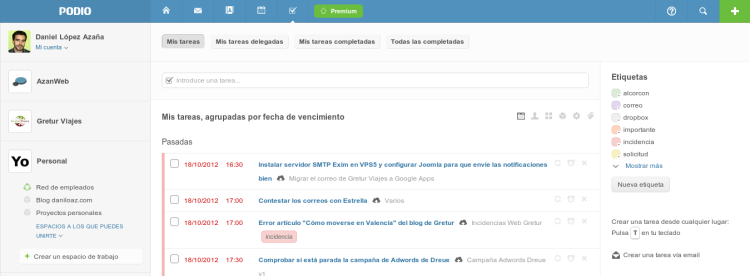
However, all but perhaps Zyncro or Teambox wich we think that would be our second choice demanded of us that we adapt to them designing the way we work based on their characteristics and not according to what we really needed.
Until we discovered the Google Apps + Podio formula.
What is Podio?
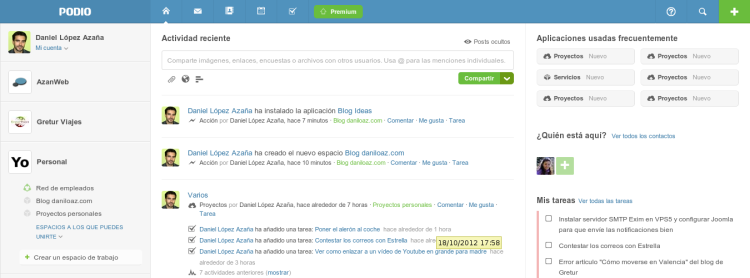
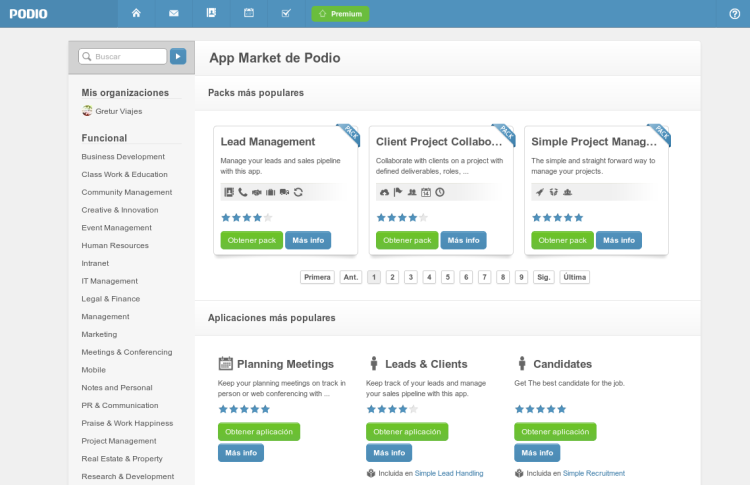
Podio is a web application aimed to manage tasks from a social point of view and to organize our world according to different organizations and infinite workspaces where we can install a huge number of different applications from its App Market , as incident trackers, tools for project management, contact management, sales and customer management (CRM), meetings planning and so on.
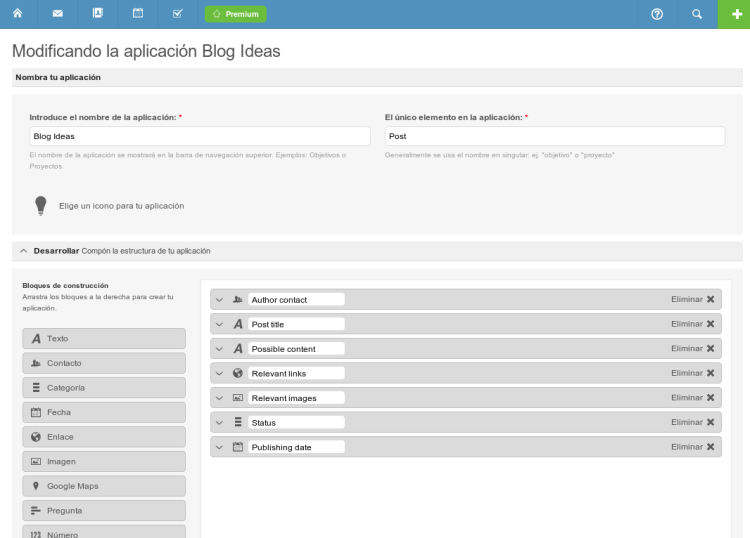
As if that is not enough, you have a visual editor with which you can modify any of these apps adding or removing fields from a long list of different types, or even create your own fully customized applications.
Cloud Integration
Podio integrates seamlessly with our email system to create tasks or any other record from the installed apps via email. If you also use Google Apps services, you will not only be able to flawless integrate Podio with your email, but also to integrate the entire universe of Google in your daily working tool: export your tasks and meetings to Google Calendar , attach files directly from Google Drive , synchronize all contacts from GMail , use a widget displayed at the bottom of all our emails from GMail to directly communicate with Podio allowing us to quickly create a task, an incident report, a new lead or a new idea for our blog from that specific email.
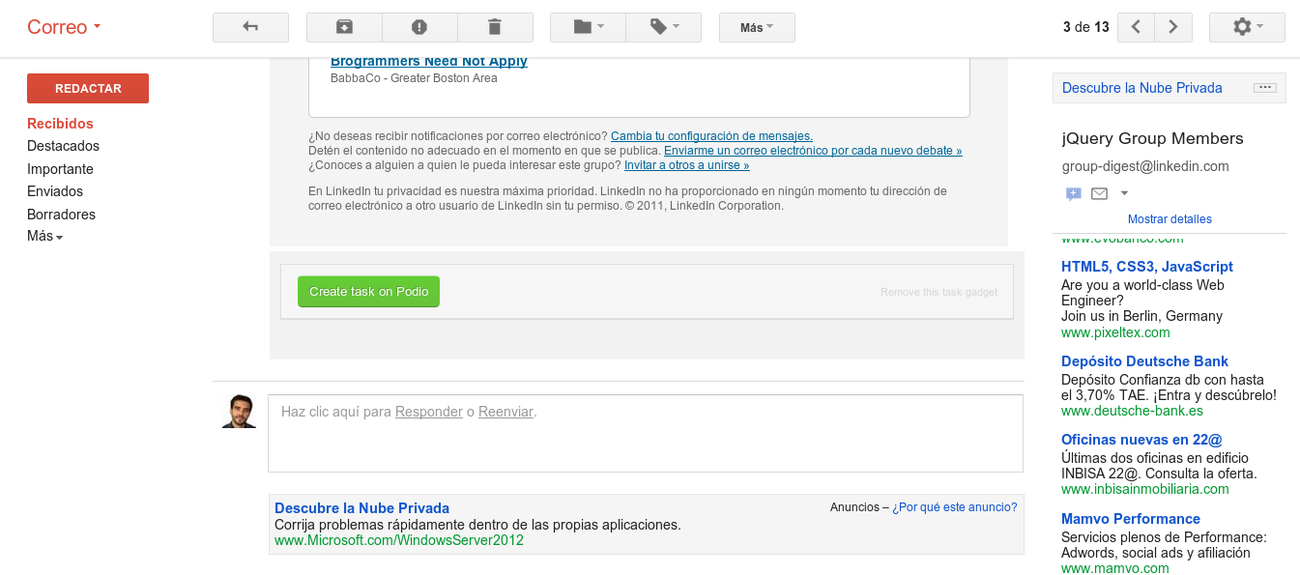
crear-tarea-desde-gmail-1
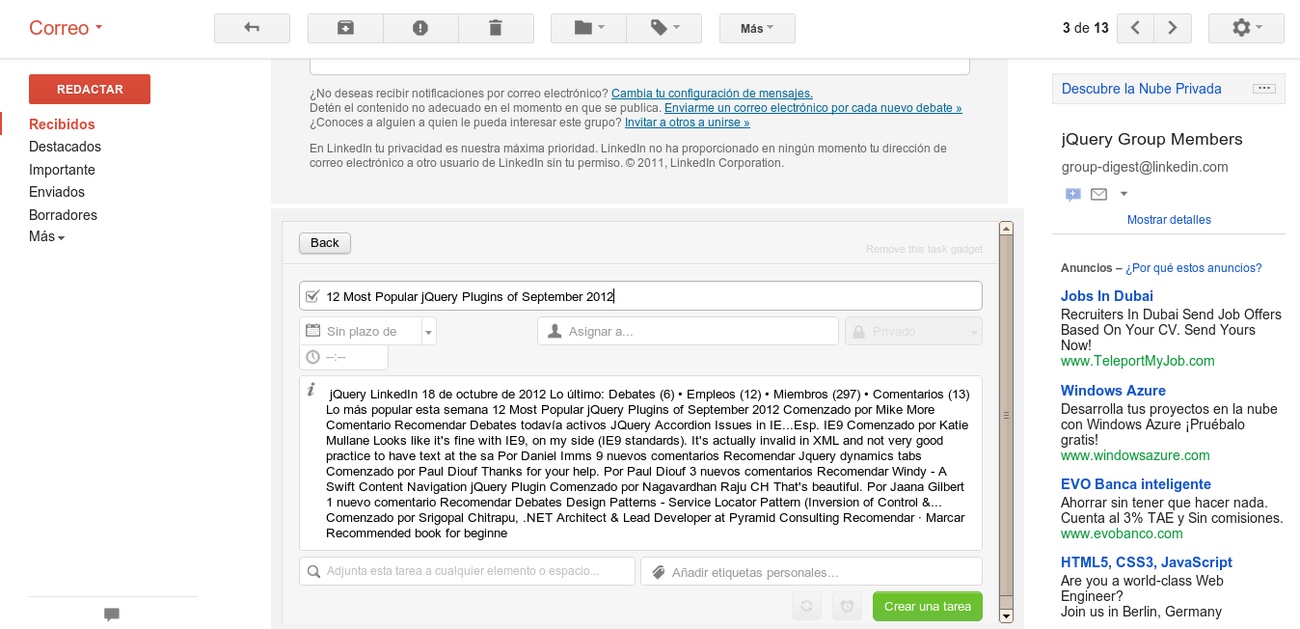
crear-tarea-desde-gmail-2
Even though we don’t have a Gmail account we can create tasks via email by simply sending a message to an email address like dlazaa.5c723ecd@task.podio.com.
Besides the Google universe, many cloud services perfectly integrates with Podio, as Dropbox , Evernote , Box , GoToMeeting , Linkedin , Facebook , etc.
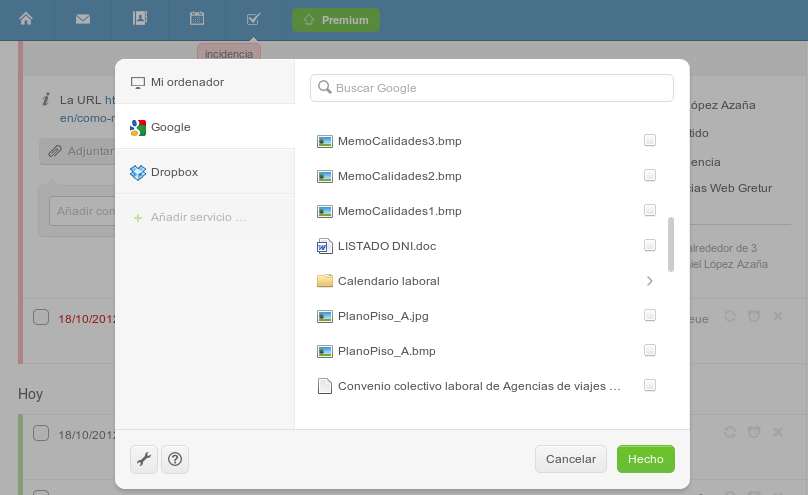
adjuntar-fichero-google-drive
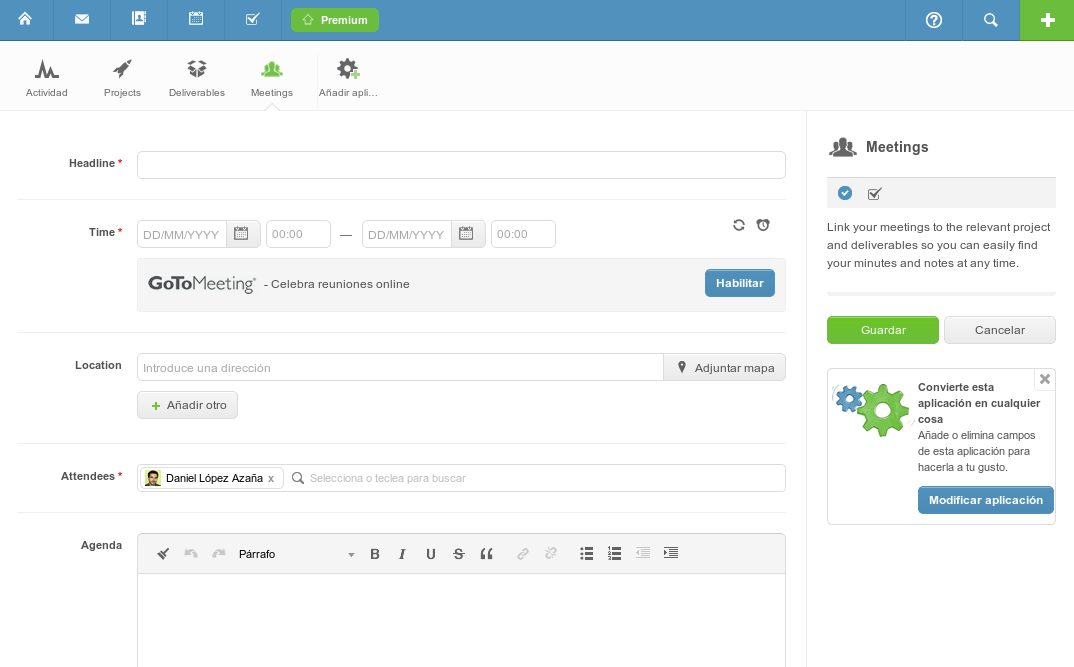
reuniones-invitados-y-gotomeeting
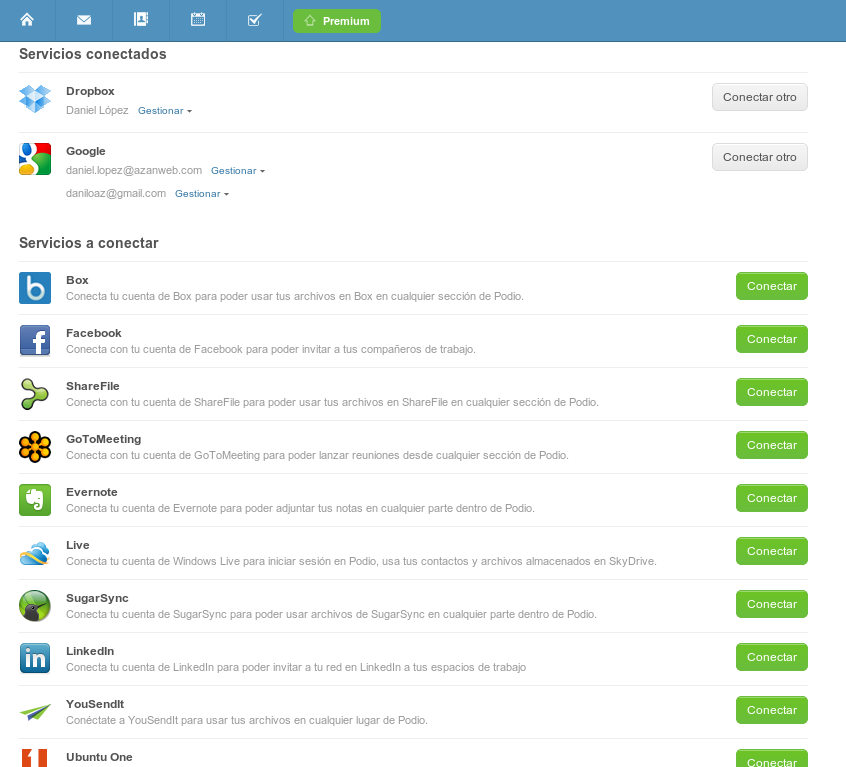
servicios-conectados-a-podio
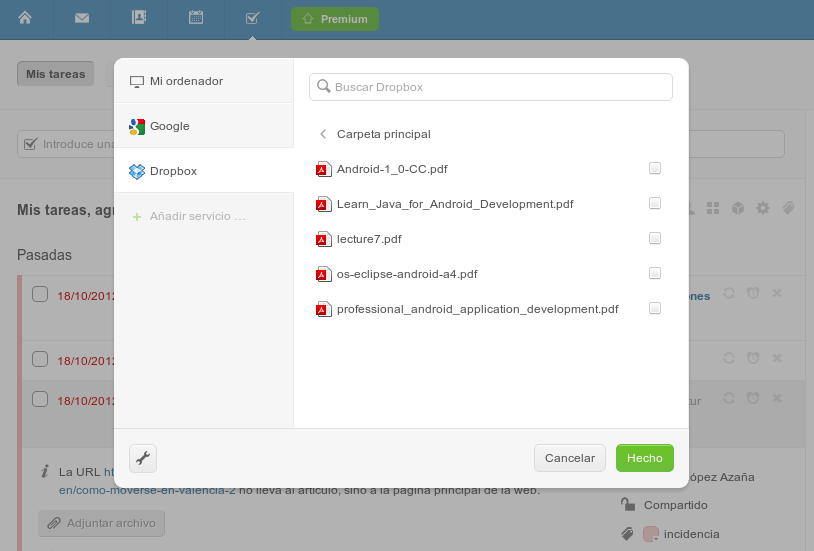
adjuntar-ficheros-dropbox
Corporate Social Network
But what is most surprising is the possibility of involving any person , whether co-workers, partners, customers or suppliers in different workspaces in a very fast and flexible way thanks to the Podio’s powerful roles and privileges system. Anyone can participate like in a typical social network where they can write comments about any aspect of a project, share files, assign tasks or simply click on the «I Like» button.
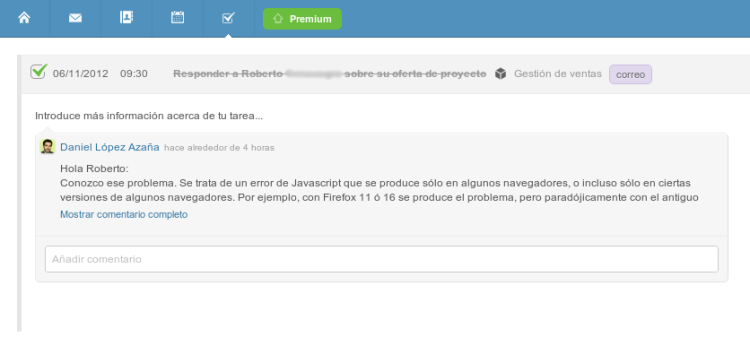
If you don’t want to give your customers access to some of your workspaces, you’ll also have the ability to export an application form in order to integrate it into an external web application from your client or on your own corporate website. You’ll be able to export a form to report incidents so that your customers can communicate a problem directly trough your own issue tracker on Podio, or that customers can enter directly into your system any proposed changes. The possibilities are endless and we just have to copy and paste a small snippet of HTML code like this:
<!-- BEGIN Podio web form -->
<script src="https://podio.com/webforms/2282716/124680.js"></script>
<script type="text/javascript">
  _podioWebForm.render("124680")
</script>
  <div class="podio-webform-container">
  PODIO provides <a href="https://company.podio.com/project-management-software" class="podio-webform-inner" target="_blank" rel="noopener noreferrer">project management software</a> you can build yourself.
  </div>
<!-- END Podio web form -->
Mobile apps available
Of course, a tool of this nature would lose much of its usefulness if we couldn’t use it anytime, anywhere with our mobile phone. Podio offers native apps for both iOS and Android. Although it must be said that those apps could be better, we can access almost all the functionality of Podio from them.
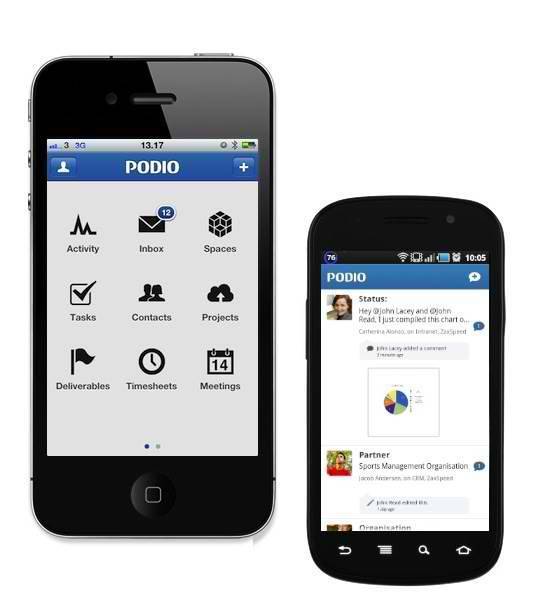
Aside from being able to manage our projects and tasks, we can add to the menu any workspace or application from those we have installed on Podio, allowing us to quickly open such a new incident that someone communicated to us by phone, enter a new product in our inventory, view the history of a customer order or score a new idea that we had come to our blog.



Comments
Submit comment